












- 01Merchant, date, amount and VAT fields are extracted automatically from printed and handwritten receipts.
- 02Duplicate submissions are prevented at entry using tax ID, date, amount and receipt number.
- 03Personal, team and project budgets are tracked with your configured alert thresholds and approval steps.


Plena Masraf · Corporate Expense, Travel & Advance Management
Take control of expenses, business travel and advances in one app.
Manage employee expenses, business travel and advance requests in line with your company policy from a single application.
Expense managementScan receipts by camera and submit with instant budget and duplicate checks.
Business travelClose trip requests, hotel/flight bookings and post-trip expenses in one flow.
Advances & corporate cardsReconcile work/salary advances and card statements with payroll and accounting.
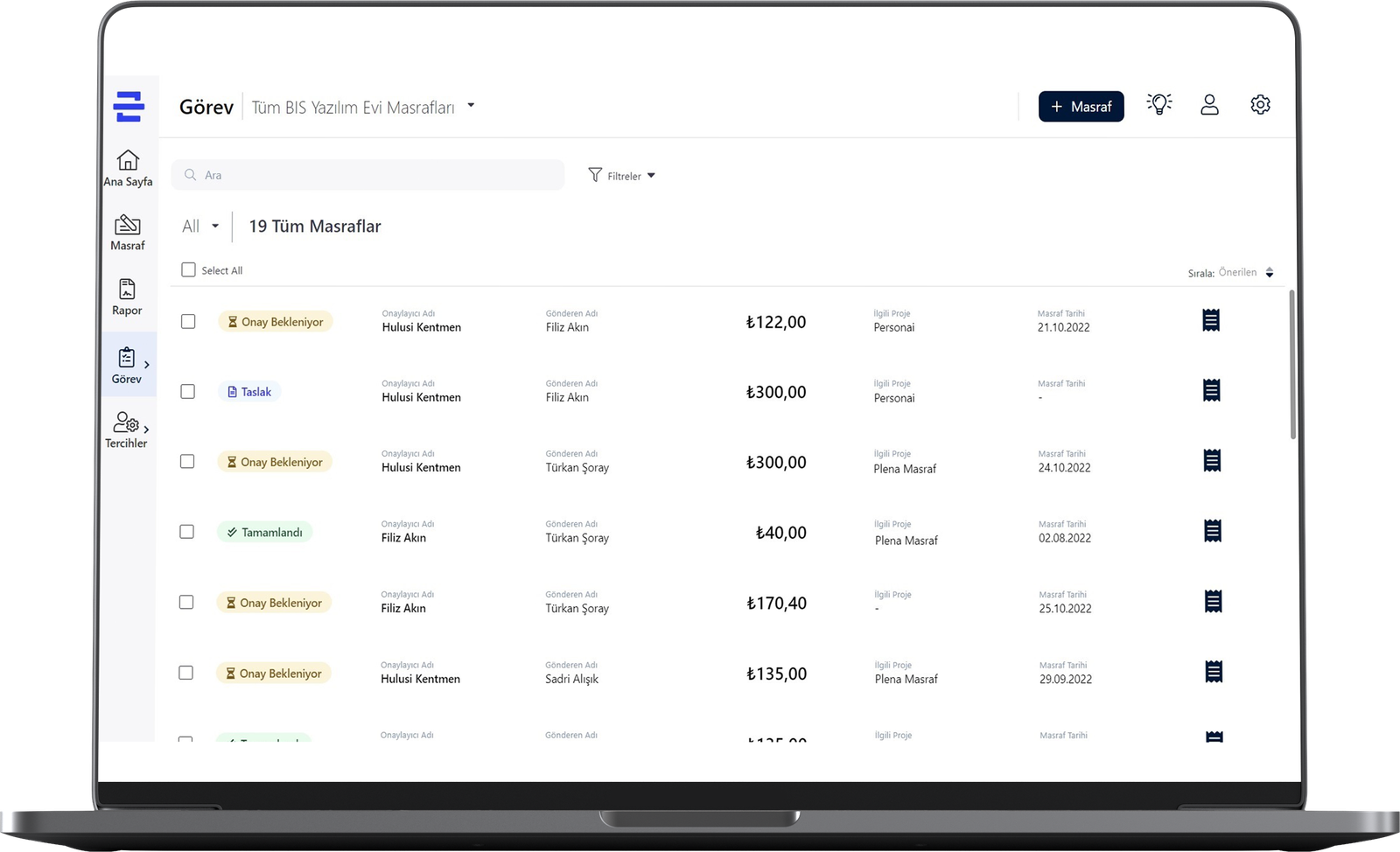
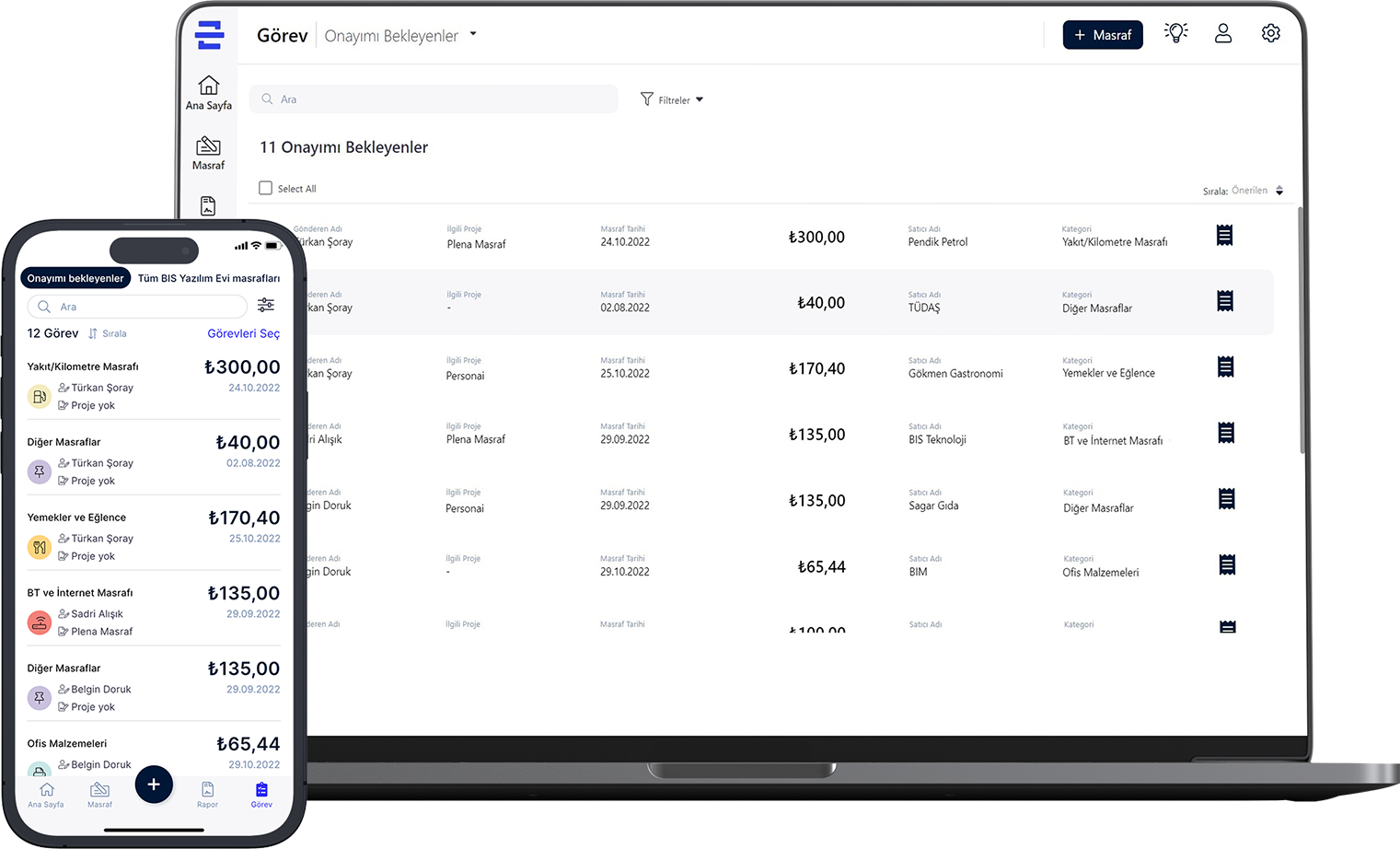
From request to accounting closure
How Plena Masraf works
Expense, travel and advance workflows come together in one application; your company's defined policies are checked automatically at every step.
- Start a Request or ExpenseOpen an expense, travel or advance request on web or mobile with unit, project and cost centre pre-filled.
- Custom Policy & Budget CheckSubmission timelines, hotel caps and budget rules configured for your organisation are verified at entry.
- Approval & BookingFor approved trips, Travel Desk shares hotel and flight options; confirmation generates the assignment form.
- OCR Capture & Trip ClosureScan printed or handwritten receipts with OCR, link them to the completed trip and submit in one batch.
- Accounting & Payroll SyncCorporate card spend and advance instalments sync with payroll, while approved expenses export to ERP with accounting codes.
Live scene
From receipt to approval in 10 seconds
A receipt photo is read by OCR — even a handwritten taxi receipt. Every field is extracted, the form fills itself and the limit rule picks the approval route.
Three core solution areas
Expenses, travel and advances under one roof.
Each scope runs its own workflow while sharing the same organisation and approval structure.
- 01Define custom hotel and transport rules by city, region or country group.
- 02Travel Desk enters hotel and flight options; manager selection generates the assignment form PDF.
- 03Post-trip employee receipts link to the trip so booking and field expenses close in one summary.
- 01Work and salary advances offset against trip or expense claims; instalments post automatically to payroll.
- 02Uploaded corporate card statements auto-match against expense claims and trip bookings.
- 03Missing-receipt reminders are sent automatically and personal spend transfers to payroll deductions.
Real product screens
From travel bookings to corporate card reconciliation in one view.
Travel Desk bookings, trip-linked employee receipts, corporate card statement matches and instalment advance deductions converge in one clean list and submit for approval in a single click.
Highlighted capabilities
Every tool for corporate expense and travel operations
Flexible rules shaped around your company policy, finance integration and live reporting.
- Printed & handwritten receipt OCRScan thermal slips, invoices and handwritten transport receipts by camera with automatic field extraction.
- Configurable policy & budget rulesSet submission windows, hotel caps, category limits and budget overrun rules tailored to your organisation.
- Travel Desk & assignment formsShare hotel/flight options, confirm bookings and archive tickets, booking documents and assignment PDFs.
- Conditional approval flows & delegationBuild dynamic approval chains by amount, category or budget overrun, with automatic delegation for approvers on leave.
- Corporate card statement matchingAuto-match bank statement lines against expenses and bookings; transfer personal spend to payroll.
- Work, salary & instalment advancesManage advance requests with repayment schedules and close monthly instalments via payroll deductions.
- Multi-currency & daily exchange ratesCalculate local currency equivalents automatically on foreign expenses using daily central bank rates.
- Accounting, ERP & analytics reportsMap categories to accounting codes and cost centres; export travel and budget analytics to Excel and PDF.
Policy, integration & security
You set the rules; the system enforces them at every step.
Travel and expense policies are configured around your company's rules rather than rigid presets, with every approval and change stored in the audit trail.
- Custom submission windows and justified urgent-travel exceptions
- Flexible nightly hotel caps by city, region and country group
- Organisation-wide duplicate detection by tax ID, date, amount and receipt number
- Configurable budget threshold alerts and overrun approval rules
- Accounting code, cost centre and project-level export
- Corporate card reconciliation and payroll deduction for personal spend
- Automatic payroll sync for instalment advance repayment plans
- Daily exchange-rate integration and bulk budget upload via Excel
- Employee, Manager, Travel Desk, HR, Executive and Accounting roles
- Date-ranged delegation and assistant request creation on behalf of managers
- Digital archiving of receipts, booking documents and assignment PDFs
- KVKK/GDPR and ISO 27001 aligned cloud or on-premise deployment
Plena Masraf Mobile · iOS & Android
Snap receipts and manage trips & budgets from your phone
Plena Masraf on iOS and Android. Snap receipts for AutoScan, view FX conversions and duplicate alerts instantly, and open e-tickets and hotel booking documents for upcoming trips in one tap.
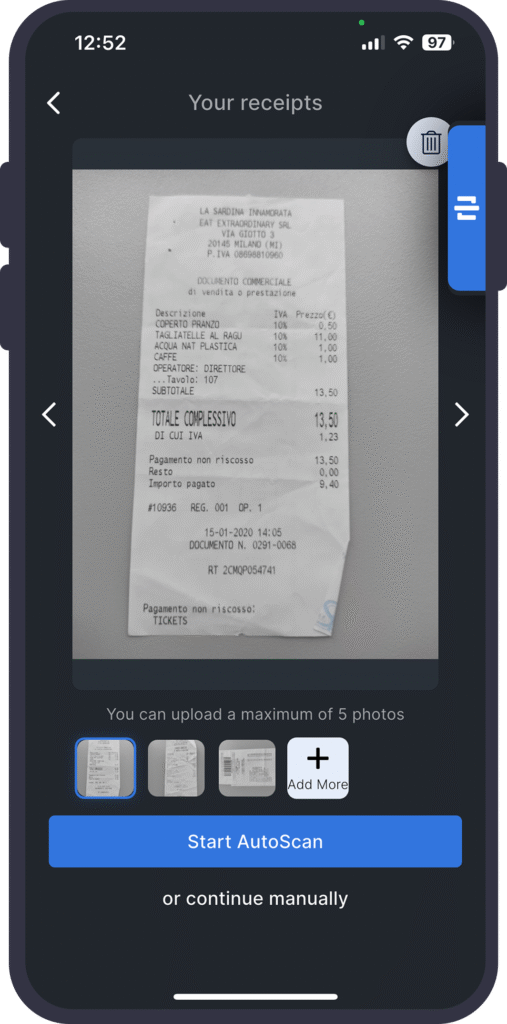 01 · Receipt AutoScan
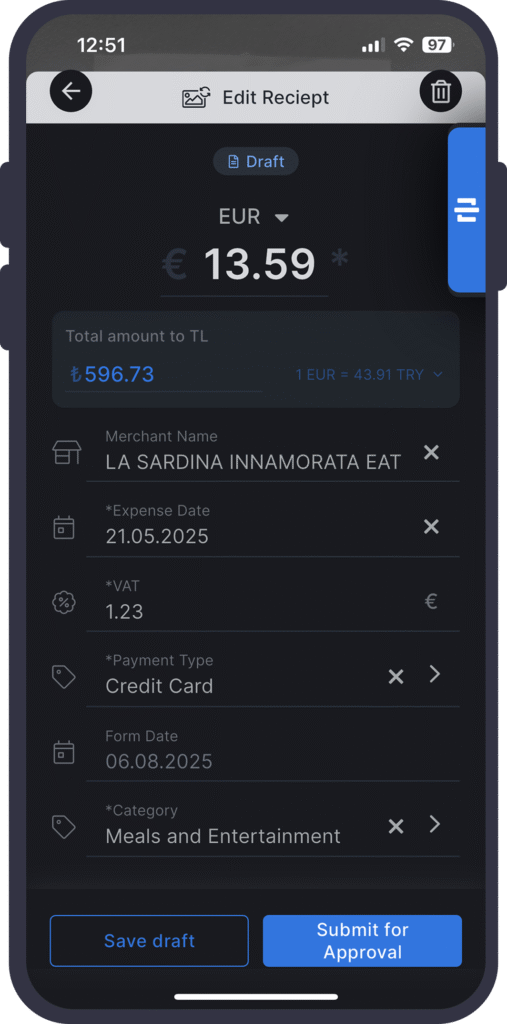 02 · FX & Edit Receipt
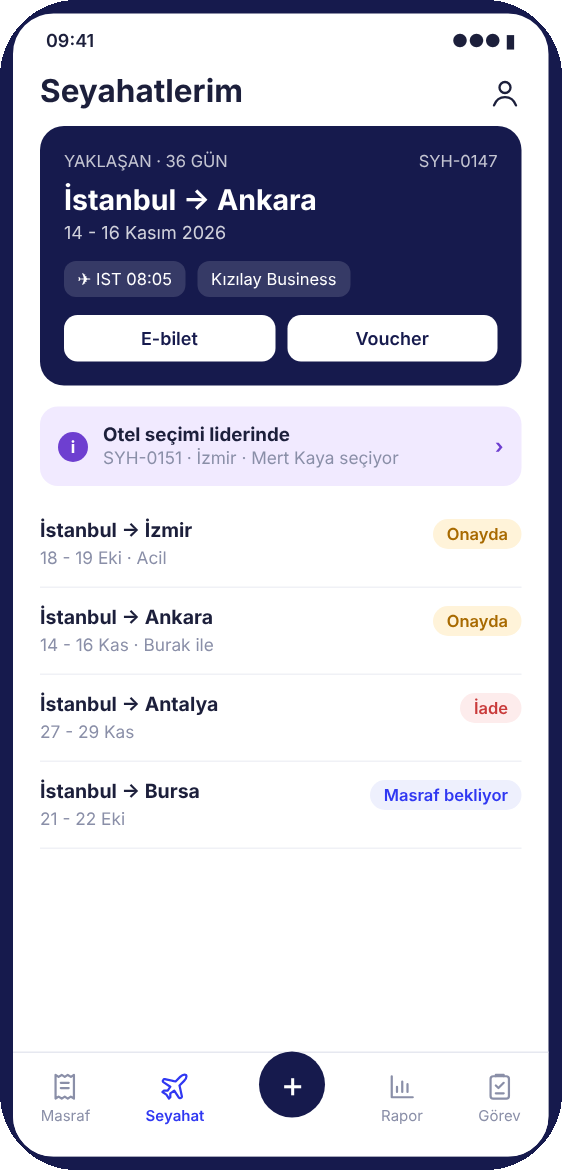 03 · My Trips & E-Ticket
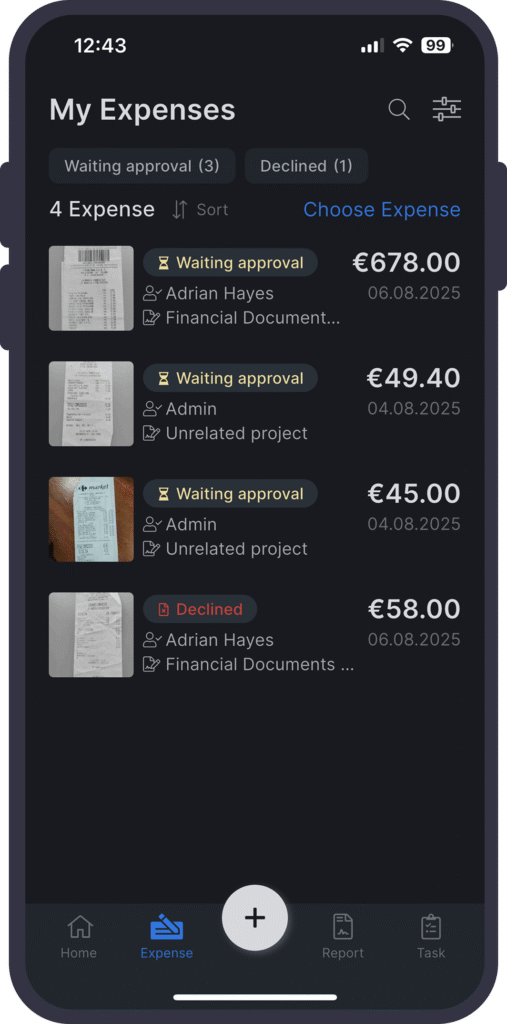 04 · My Expenses & Tasks
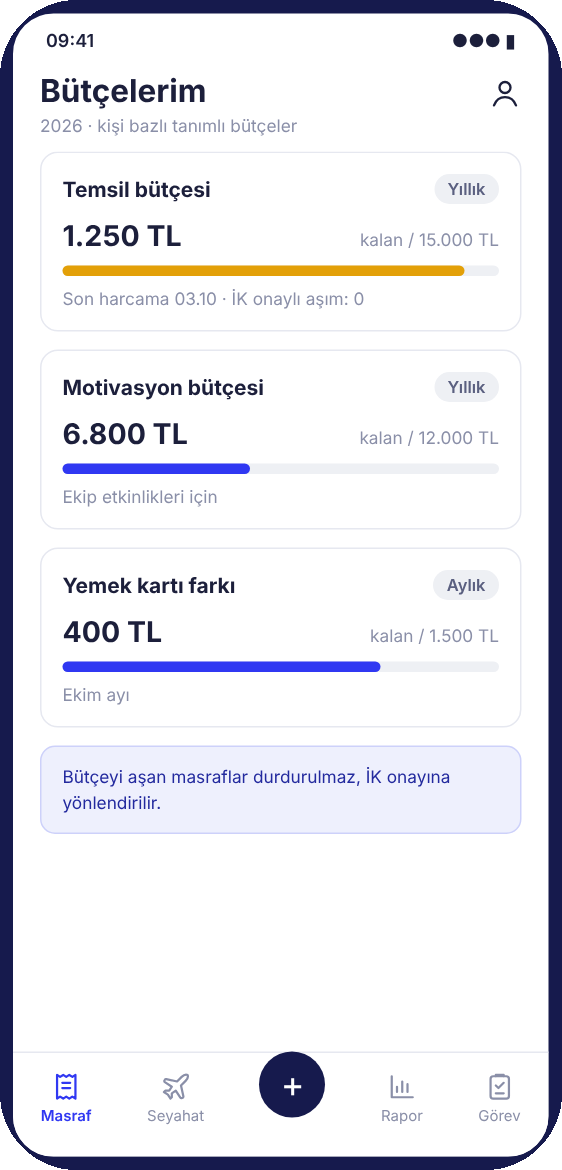 05 · My Budgets & Caps
FAQ
Frequently asked questions
Which processes does Plena Masraf cover?
It brings employee expense claims, business travel and booking workflows, corporate card reconciliation and work/salary/instalment advance management together in one application.
Can expense, travel and budget rules be customised to our company?
Yes. Submission deadlines, city or country hotel caps, budget alert thresholds and approval chains are not fixed constants — they are configured around your company's policy.
How does the travel and booking workflow operate?
An employee submits a travel request; after policy checks and manager approval, it enters the Travel Desk queue. Once the preferred hotel and flight option is confirmed, booking records and the assignment form PDF are generated automatically.
How do completed trips convert into expense claims?
Once a trip ends, the employee links receipts directly to the trip and submits them in one batch. Booking costs and employee expenses combine into a single trip summary.
How are duplicate receipts prevented?
At submission, tax ID, receipt date, amount and receipt number are checked across employees. If a match exists, an instant warning displays the previous record.
How does corporate card reconciliation work?
Uploaded card statement lines auto-match against expense claims and trip bookings by amount, date and merchant. Personal expenses can be transferred directly to payroll deductions.
How are foreign currency expenses handled?
Multi-currency entry is built in. Foreign currency claims calculate local currency equivalents automatically using the official daily central bank rate on the receipt date.
Are work, salary and instalment advances supported?
Yes. Work, salary and instalment advances follow your defined limit and approval rules; instalment advances split into monthly repayments and sync to payroll.
How does it integrate with accounting and ERP systems?
Every expense category maps to an accounting code, cost centre and project; approved claims export cleanly to your ERP and Excel/PDF reports.





See Plena Masraf with your own processes.
Fill in the form and our team will plan a demo around your needs.